
Heygen AI video editor includes more than 300 speech voices and over 40 language options for implementing it into videos. Also, videos can be created with its effective text-to-video conversion tool that allows the users to keep multiple sequences in a video.
Heygen Pros and Cons
Pros
- Heygen AI makes efficient video automatically just with some little user inputs which reduces time by omitting the need to gather footage or insert media manually and accelerates the video production process.
- Heygen provides useful tools that automate video editing for amateurs and those who have less time. With its creative elements, anyone can make videos with good quality.
- It offers a lot of languages for implementing it into videos. This also expands its user base across the world where other languages are used more than English.
- Heygen costs less than the amount of hiring a skilled video editor. Thus, the users can use it without any video editing background.
Cons
- Since it’s an AI video generator, the users might find some limitations, when compared to the videos created by any highly-skilled video editor.
- Heygen is an overall good product for video production, but it is not a human after all. So, there might be a chance that sometimes, there could be an issue with having the less suited video clip to the script, quality issues, or more loading time than usual.
- Some people with exceptional video editing skills may still not be satisfied with its automated video generation. Also, someone with a lower understanding of the fundamentals of video editing or not having any digital background may find it difficult to use the interface.
- Depending on it might cause some lack of human touch. The video materials could match the text input, but there is a chance it could match only literally and not sensibly, or emotionally since AI is not like the human mind.
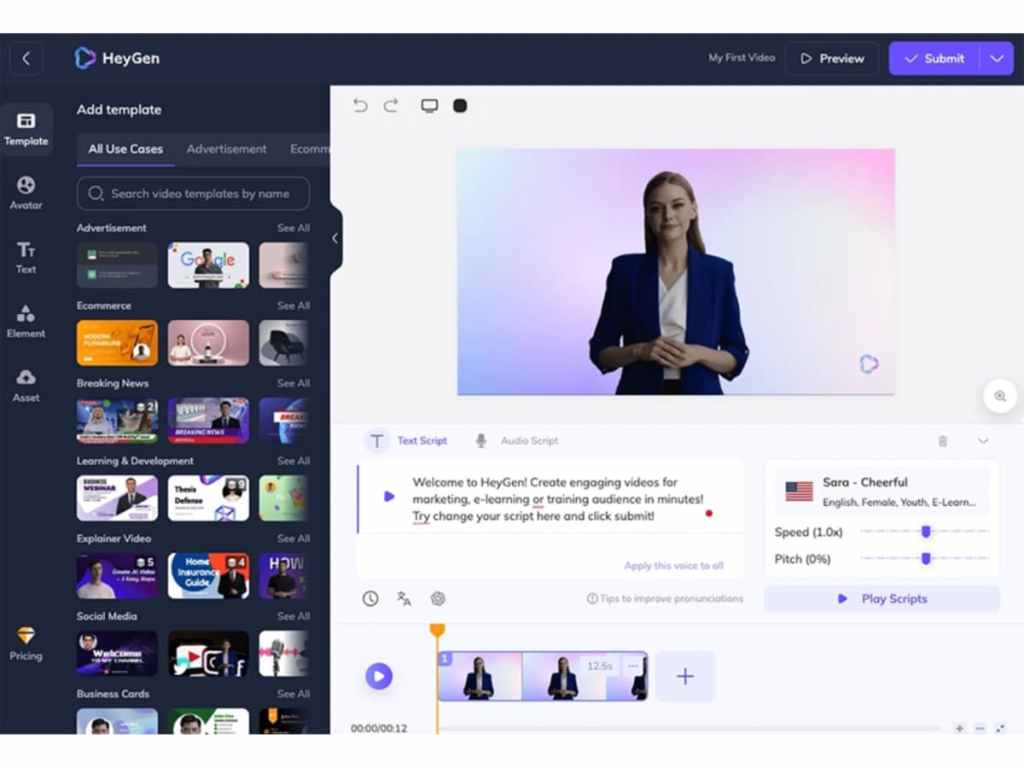
How to Use Heygen AI
- Open on browser and sign
- Choose templates
- Upload and manage media and content
- Manage Transitions, clips, elements, etc.
- Alter length and pace
Price
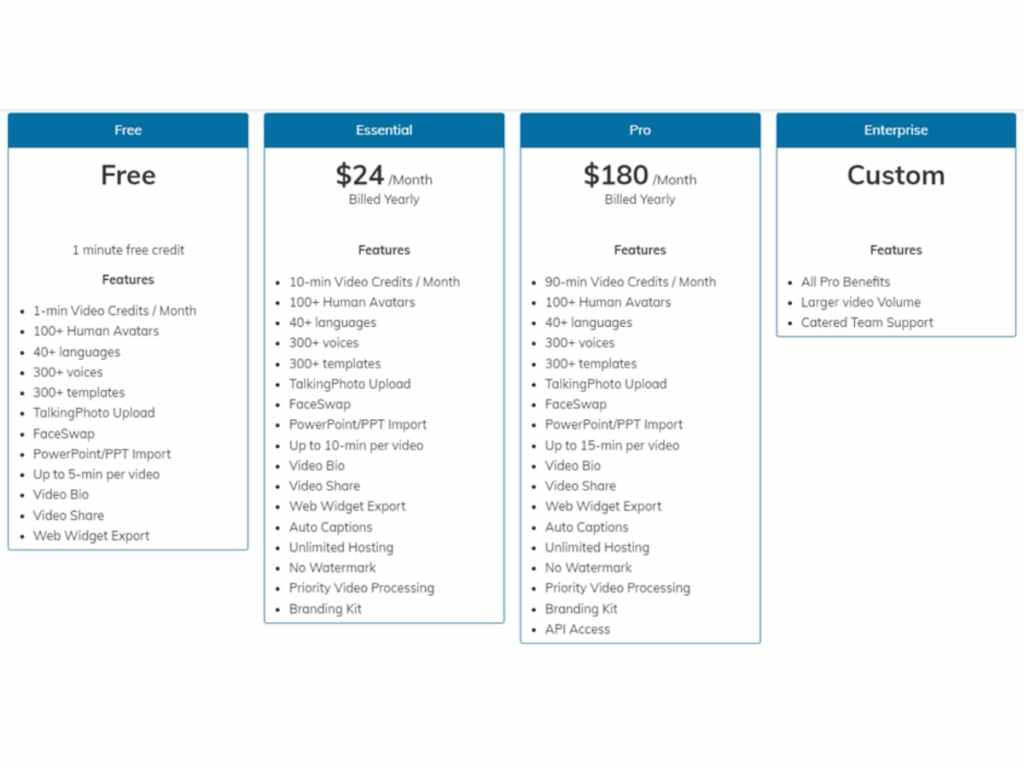
- Free for 1-minute video
- $24 per month (billed annually) for 10-minute videos
Heygen Pricing Plans
Alternatives
System Requirements
Heygen AI is a cloud-based SaaS platform that can be accessed by web browsers, like Opera, Google Chrome, Brave, etc. It supports systems such as Windows, iOS, Linux, and Android.
Services
There are many other services from Heygen including sales, training, onboarding, news, and many more.
Social Profiles
Facebook: @HeyGenOfficial
Instagram: @heygen_official
LinkedIn: @heygen
Twitter: @heygen_official
Heygen Features, USP
Features
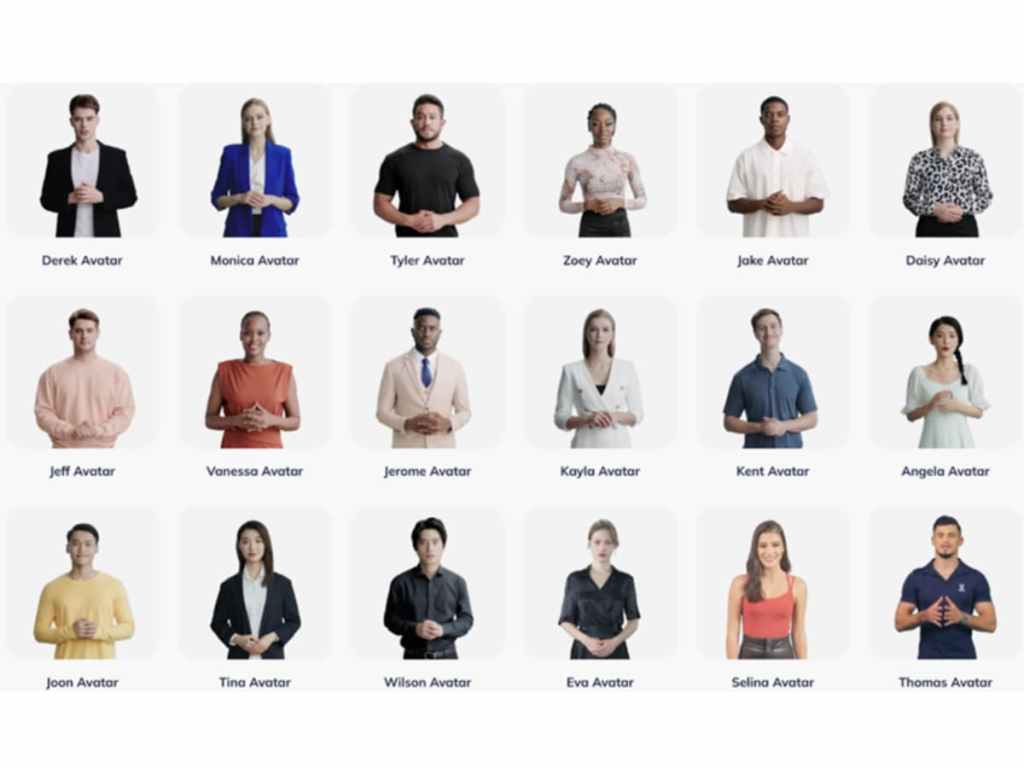
- Custom Avatars
- Voice Cloning
- Talking Photo
- Face Swap
- Text-to-speech
- Templates
USPs
- Customizable Templates
- Multilingual
- Cloud Collaboration
Heygen Integrations
- YouTube
- Google Forms
- Gmail
- Google Sheets
- Slack
- Stripe
- Google Drive
- Type form
- OneDrive
- Zapier
Conclusion
With Heygen, every element of video can be edited including the audio, text, graphics, animations, etc. With the creative features, it is possible to put vision into videos that can create engagement. It is simple to use and received a lot of positive feedback across the world. It can be accessed easily by visiting Heyegn.com and signing up with the platform.
 OPTERFACE